

Resistance Mapping
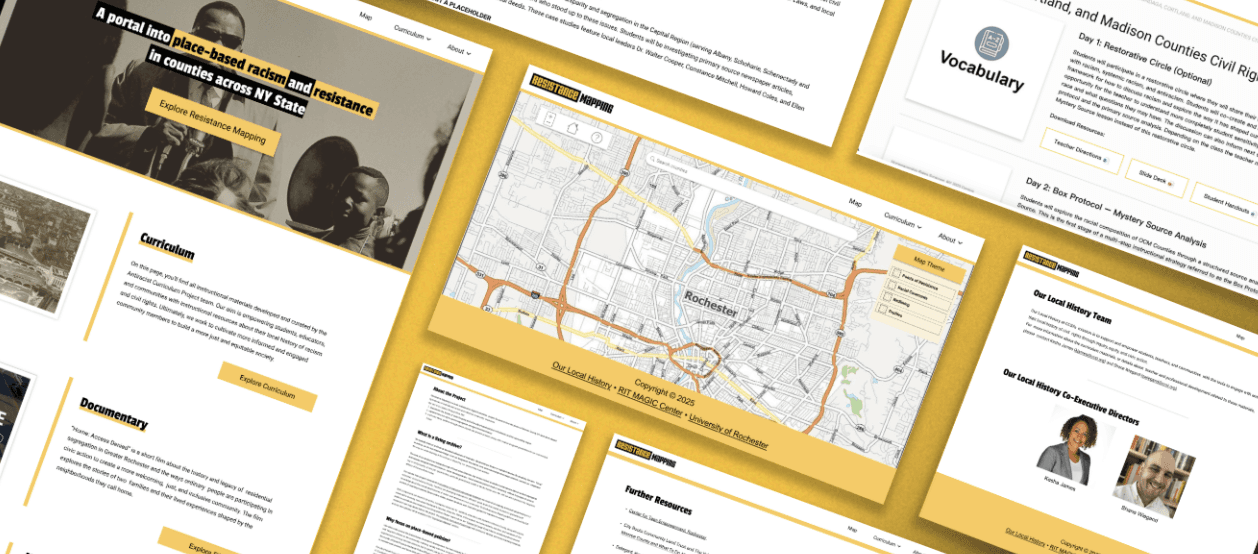
A portal into place-based racism and resistance in Rochester, NY and surrounding areas that features educational resources for teachers and students through lesson plans and an interactive map
Task
Perform user testing on current site and create a site redesign to allow for future expansion to cover all of New York State
Role
UX Researcher/Designer in a team of 6
Skills Used
Technical Skills: Figma, Adobe Suite Products
UX Skills: User Testing, Qualtrics, Survey Design, User Interviews
Timeline
September 2024 - May 2025
Awards
2025 Digital Media Studies Community Engagement Award


Resistance Mapping
A portal into place-based racism and resistance in Rochester, NY and surrounding areas that features educational resources for teachers and students through lesson plans and an interactive map
Task
Perform user testing on current site and create a site redesign to allow for future expansion to cover all of New York State
Role
UX Researcher / Designer in a team of 6
Skills
Technical Skills: Figma, Adobe Suite Products
UX Skills: User Testing, Qualtrics, Survey Design, User Interviews
Timeline
September 20204 - May 2025
Awards
2025 Digital Media Studies Community Engagement Award


Resistance Mapping
A portal into place-based racism and resistance in Rochester, NY and surrounding areas that features educational resources for teachers and students through lesson plans and an interactive map
Task
Perform user testing on current site and create a site redesign to allow for future expansion to cover all of New York State
Role
UX Researcher / Designer in a team of 6
Skills
Technical Skills: Figma, Adobe Suite Products
UX Skills: User Testing, Qualtrics, Survey Design, User Interviews
Timeline
September 20204 - May 2025
Awards
2025 Digital Media Studies Community Engagement Award

The Problem

The Problem

The Problem

Our Solution

Our Solution

Discovering User Needs

Discovering User Needs

Planning the Redesign

Planning the Redesign

Next Steps

Next Steps
Resistance Mapping was built specifically to teach users about place-based racism in Rochester, but now they want to expand to all of NY State.
Redesign the site to address current users' needs, and create infrastructure to support future expansions.
Resistance Mapping was built specifically to teach users about place-based racism in Rochester, but now they want to expand to all of NY State.

Our Solution
Redesign the site to address current users' needs, and create infrastructure to support future expansions.

Discovering User Needs
To find out what users' pain points for Resistance Mapping were, and to determine where new users might get confused, our team conducted multiple forms of research:
We conducted interviews with the Resistance Mapping team to learn about their experience maintaining and updating the site, as well as their plans for expansion. We also had the chance to speak with local teachers that used Resistance Mapping as a tool in their classrooms.
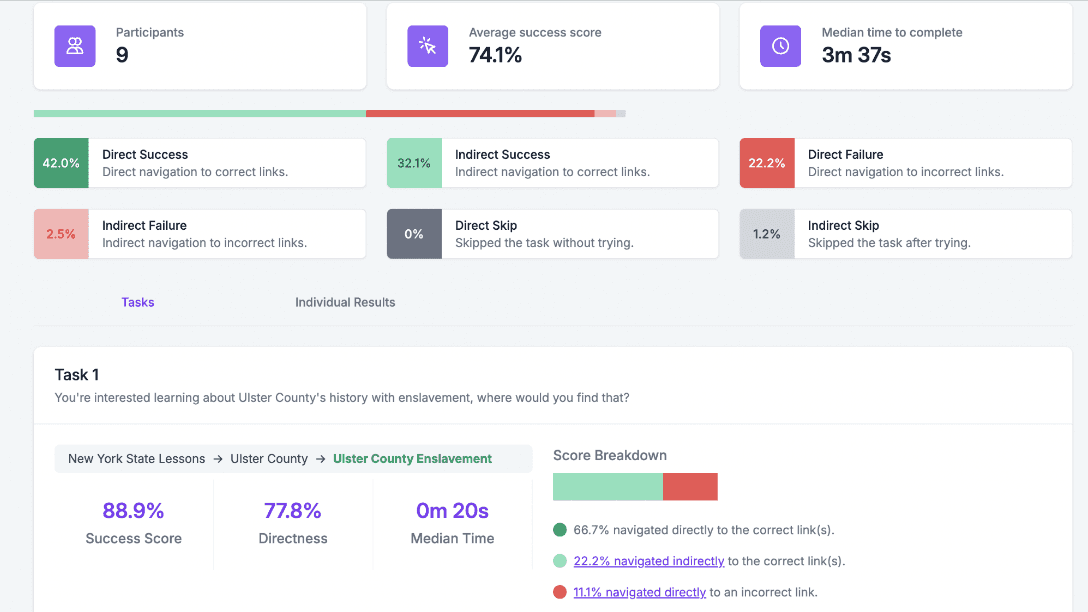
We gave new users 5 minutes to explore the current site, and then used Qualitrics to see how well they could navigate to find important information. We also conducted exit interviews to learn more about each users experience and what pain-points they encountered.
With our first round of research collected, the team reconvened to plan the site redesign. We wanted to review the data we collected to help inform our project. We used different design thinking strategies to help us get started.
Stakeholder Interviews
Tree Testing
What We Learned
Stakeholder Interviews
We conducted interviews with the Resistance Mapping team to learn about their experience maintaining and updating the site, as well as their plans for expansion. We also had the chance to speak with local teachers that used Resistance Mapping as a tool in their classrooms.


Tree Testing
We gave new users 5 minutes to explore the current site, and then used Qualitrics to see how well they could navigate to find important information. We also conducted exit interviews to learn more about each users experience and what pain-points they encountered.
Users struggled to easily find specific lessons due to confusion navigating the site. Multiple stakeholders expressed disappointment about the map not being as interactive as they expected.
What We Learned
Users struggled to easily find specific lessons due to confusion navigating the site. Multiple stakeholders expressed disappointment about the map not being as interactive as they expected.

Planning the Redesign
With our first round of research collected, the team reconvened to plan the site redesign. We wanted to review the data we collected to help inform our project. We used different design thinking strategies to help us get started.
Affinity Mapping
Wireframing
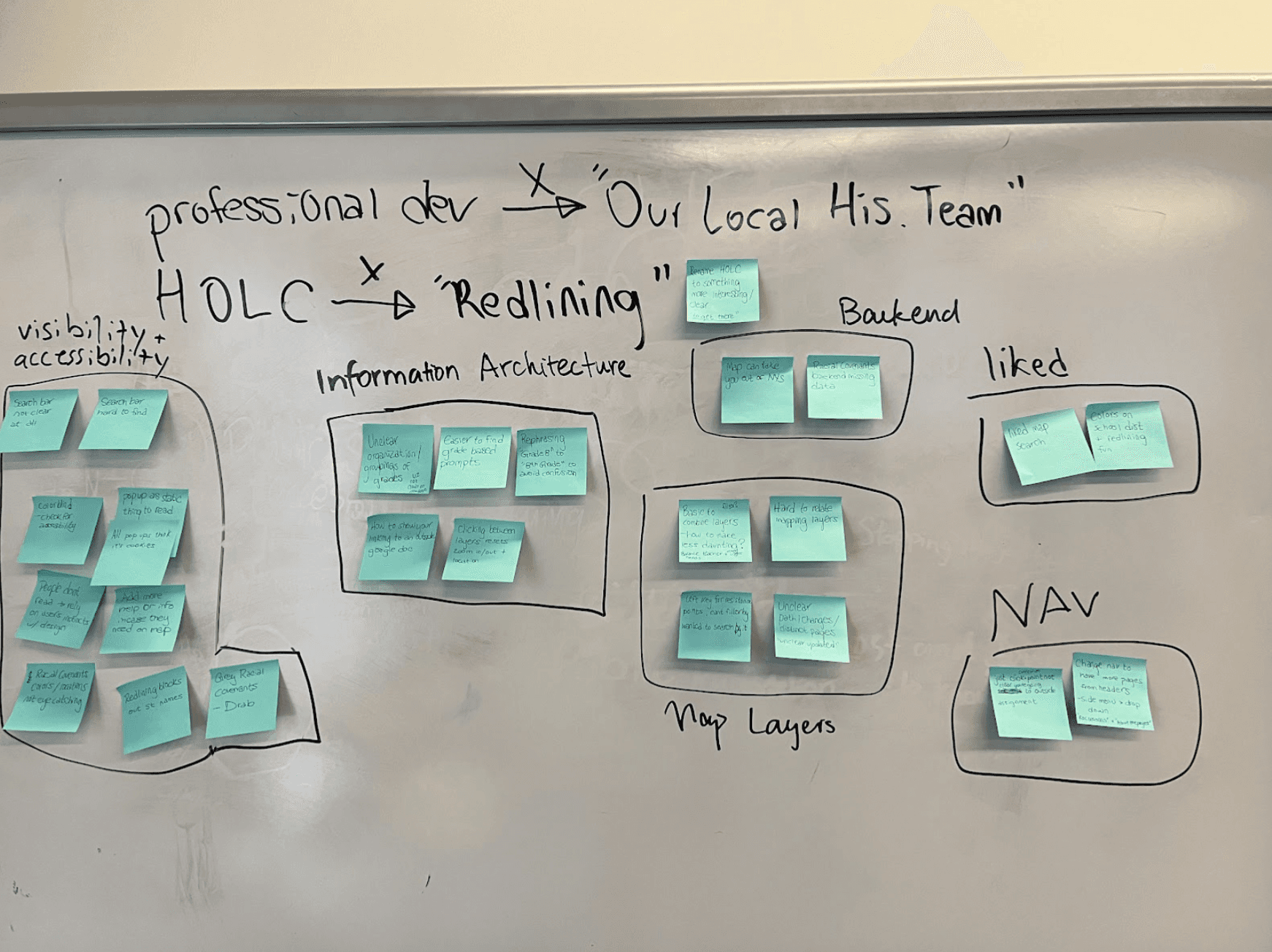
We used our findings from the data to create an affinity diagram to help us identify common pain points.
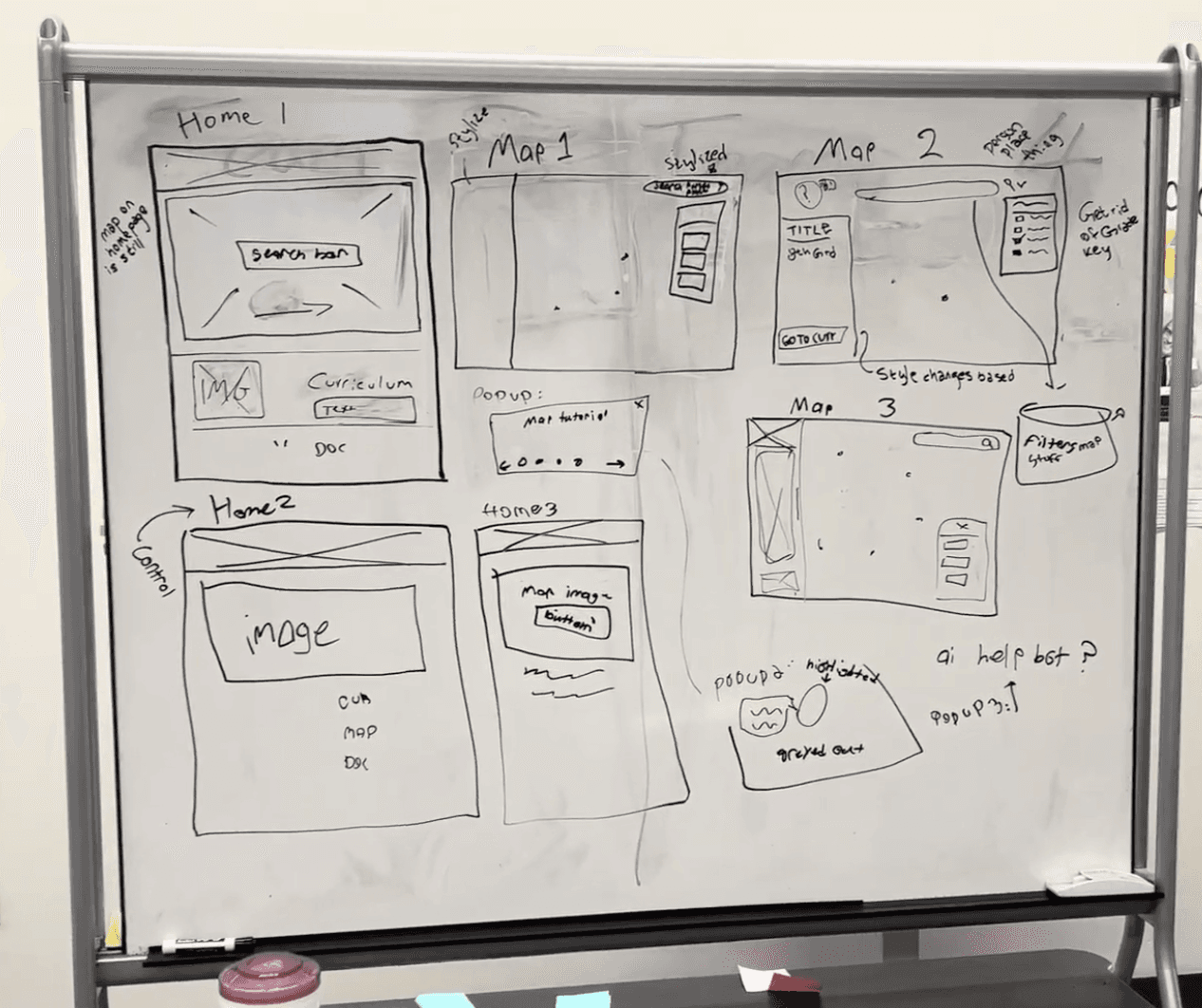
Using our affinity map as a guide, we sketched wireframe redesigns for each page that would address user needs.
Wireframing left us with a lot of possible directions for the redesign. To figure out which option was most intuitive for users, we created paper prototypes for additional testing.
As we moved to the final stages of the project, we began working on the interactive prototype. Based on our findings, the two things we most wanted to focus on was making navigation easier, and overhauling the interactive map.
Affinity Mapping
We used our findings from the data to create an affinity diagram to help us identify common pain points.


Wireframing
Using our affinity map as a guide, we sketched wireframe redesigns for each page that would address user needs.
We went through each combination of pages and assets with nine users with different levels of familiarity with Resistance Mapping to find which combination was easiest to navigate and use.
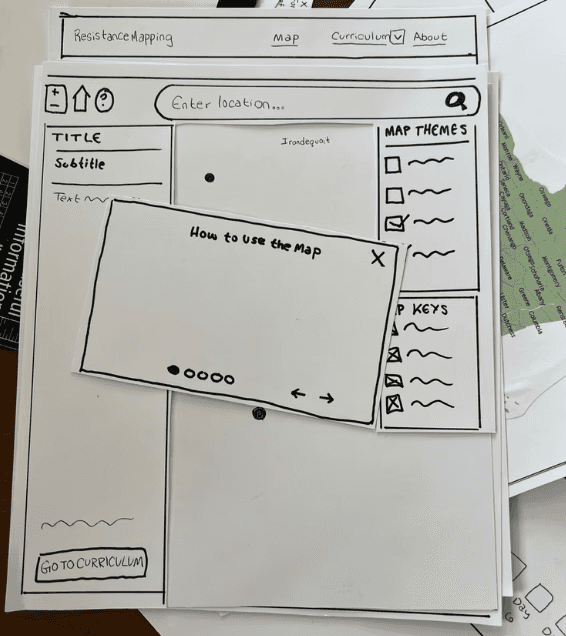
Paper Prototype


Next Steps
Wireframing left us with a lot of possible directions for the redesign. To figure out which option was most intuitive for users, we created paper prototypes for additional testing.
Paper Prototype
We went through each combination of pages and assets with nine users with different levels of familiarity with Resistance Mapping to find which combination was easiest to navigate and use.


High Fidelity Prototyping
Original Nav Bar
Because the site was initially only made for Rochester, Rochester lessons plans were separated from the rest of the state, and were structured differently.
Curriculum Pages
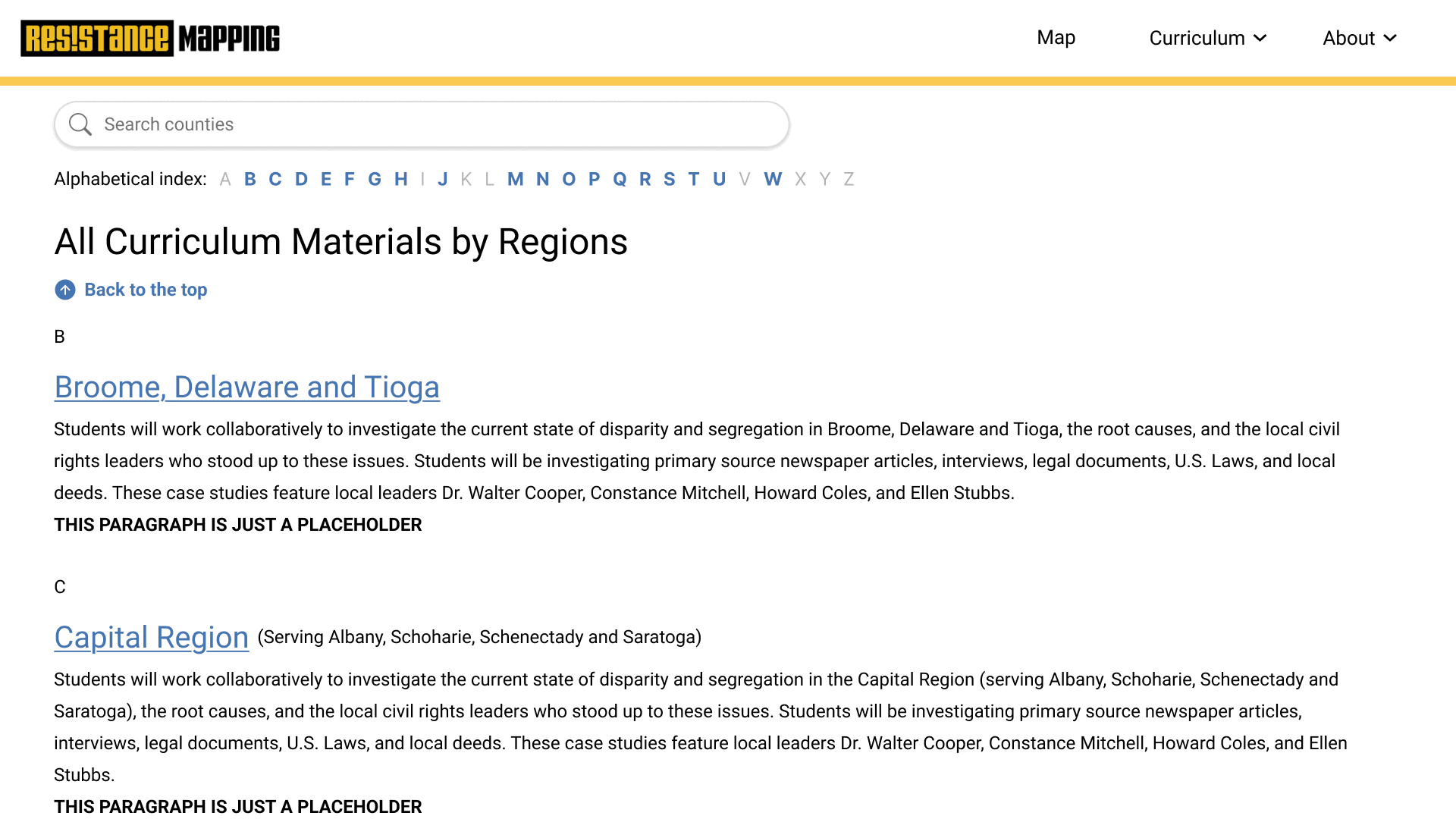
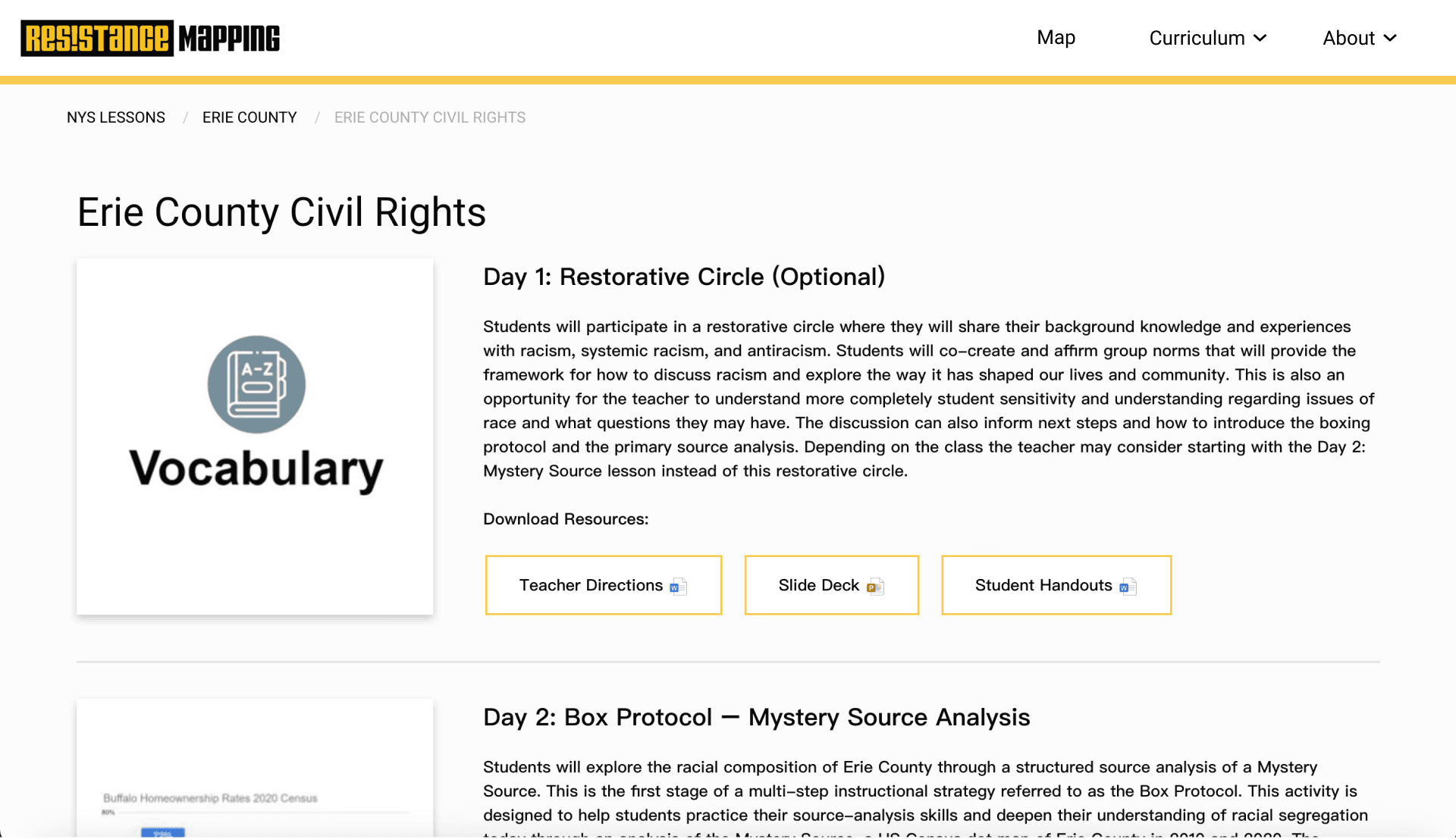
Local teachers using Resistance Mapping in class expressed difficulty finding specific curriculum and lesson plans. We learned from the Resistance Mapping team that curriculum was added without a standard template. Looking at these problems together, it became clear that creating a landing page for the curriculum and a standard template for lessons would solve both of these problems.
Refining Navigation
One of the biggest pieces of feedback from users was that it was hard to find specific lessons due to the way the Nav Bar was organized. To make navigation clearer and allow for future expansion, we combined all of the lessons plans and created a mega menu for easy identification.

High Fidelity Prototyping

High Fidelity Prototyping
As we moved to the final stages of the project, we began working on the interactive prototype. Based on our findings, the two things we most wanted to focus on was making navigation easier, and overhauling the interactive map.
Refining Navigation
One of the biggest pieces of feedback from users was that it was hard to find specific lessons due to the way the Nav Bar was organized. To make navigation clearer and allow for future expansion, we combined all of the lessons plans and created a mega menu for easy identification.
Original Nav Bar
Because the site was initially only made for Rochester, Rochester lessons plans were separated from the rest of the state, and were structured differently.
The new Mega Menu allows users to access all lesson plans from one drop down menu.
Updated Mega Menu
Curriculum Landing Page
Updated Mega Menu


Updated Map
Updating the Map
There were two big pieces of feedback we received when testing the map with users. The first was that it was easy to misidentify the tool tip menu as a cookies pop-up, so users would instinctively close it without reading instructions. The second was that users wanted to see multiple map layers at once, and wanted a clearer way to find the map's interactive location information.
Updated Mega Menu
The new Mega Menu allows users to access all lesson plans from one drop down menu.
Curriculum Pages
Local teachers using Resistance Mapping in class expressed difficulty finding specific curriculum and lesson plans. We learned from the Resistance Mapping team that curriculum was added without a standard template. Looking at these problems together, it became clear that creating a landing page for the curriculum and a standard template for lessons would solve both of these problems.
Original Map
Curriculum Landing Page

County Lesson Template

Updating the Map
There were two big pieces of feedback we received when testing the map with users. The first was that it was easy to misidentify the tool tip menu as a cookies pop-up, so users would instinctively close it without reading instructions. The second was that users wanted to see multiple map layers at once, and wanted a clearer way to find the map's interactive location information.
Original Map

Project Reflection

Project Reflection
Updated Map

Project Reflection
This project was the final culmination of what I learned in college. It was a great showcase of what I learned throughout school, and an opportunity to learn more about the design process as I looked beyond school.
User Testing
We were able to conduct multiple forms of user testing, which isn't always possible in school projects. I was able to learn a lot about structuring surveys and interview questions to learn as much as possible from users and apply it to the project.
Prototyping
This project gave me the opportunity to push my skills building an interactive prototype on Figma. When building the map, I took time to experiment with multiple ways to achieve the level of interactivity we were looking for.
Community
Engagement
This project gave my team the chance to work with a real organization doing great work for the Rochester Community. Our work with Resistance Mapping won the 2025 Digital Media Studies Community Engagement Award.
User Testing
We were able to conduct multiple forms of user testing, which isn't always possible in school projects. I was able to learn a lot about structuring surveys and interview questions to learn as much as possible from users and apply it to the project.
Prototyping
This project gave me the opportunity to push my skills building an interactive prototype on Figma. When building the map, I took time to experiment with multiple ways to achieve the level of interactivity we were looking for.
Community Engagement
This project gave my team the chance to work with a real organization doing great work for the Rochester Community. Our work with Resistance Mapping won the 2025 Digital Media Studies Community Engagement Award.