
Larabee Inc.
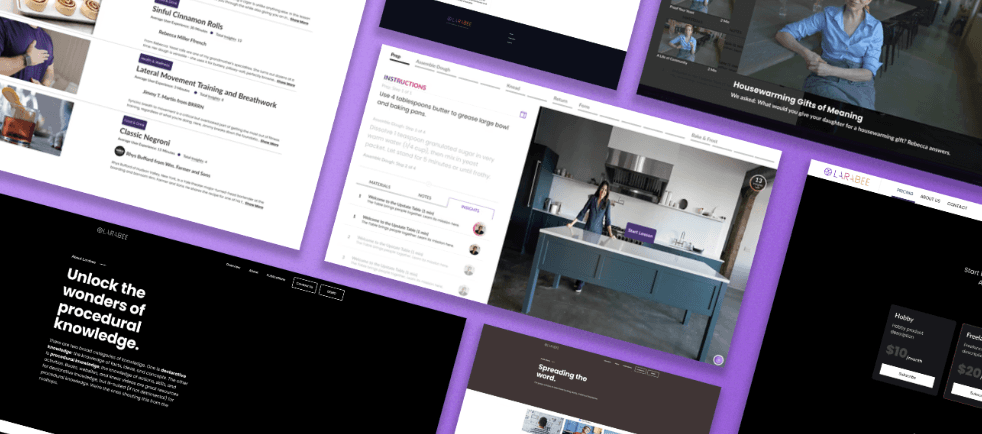
Role
UX Design Intern in a team with Chief Operating Officer and Back-End Development Intern
Task
Redesign Larabee's Categories Page and refine their Video Player and Insight Library features
Skills
Technical Skills: Figma, HTML, CSS, Github, JSON
UX Skills: Iterating design, Prototyping
Timeline
June 2023 - August 2023
Overview
What is Larabee?
Larabee is an SaaS-based platform working closely with companies to turn gold-standard processes and procedures into impactful and scalable lessons. Larabee combines short action-based videos with text to ensure the learner can follow instructions step by step.
The Problem
The current Larabee lesson structure is not informative enough and does not help users engage with all of the site features
Larabee's front end was originally created by the team as needs arose. The system wasn't designed with a focus on stakeholder usability, making a product that was difficult to learn and that missed some key features.
The Solution
Redesign Larabee's site based on user feedback to create a product that is user friendly and can easily expand as the company grows
Larabee's Video Player and Categories Page were originally created by the team as needs arose which led to some features not being as intuitive as they could be. By discovering how users approached Larabee's Video Player, we could make informed choices as we redesigned the tool.
Getting Started
Understanding Larabee's layout
I converted Larabee's site to a Figma prototype to understand the site's architecture. Doing this also ensured that any future designer could see my work in the future and iterate.
Research
Finding similar services
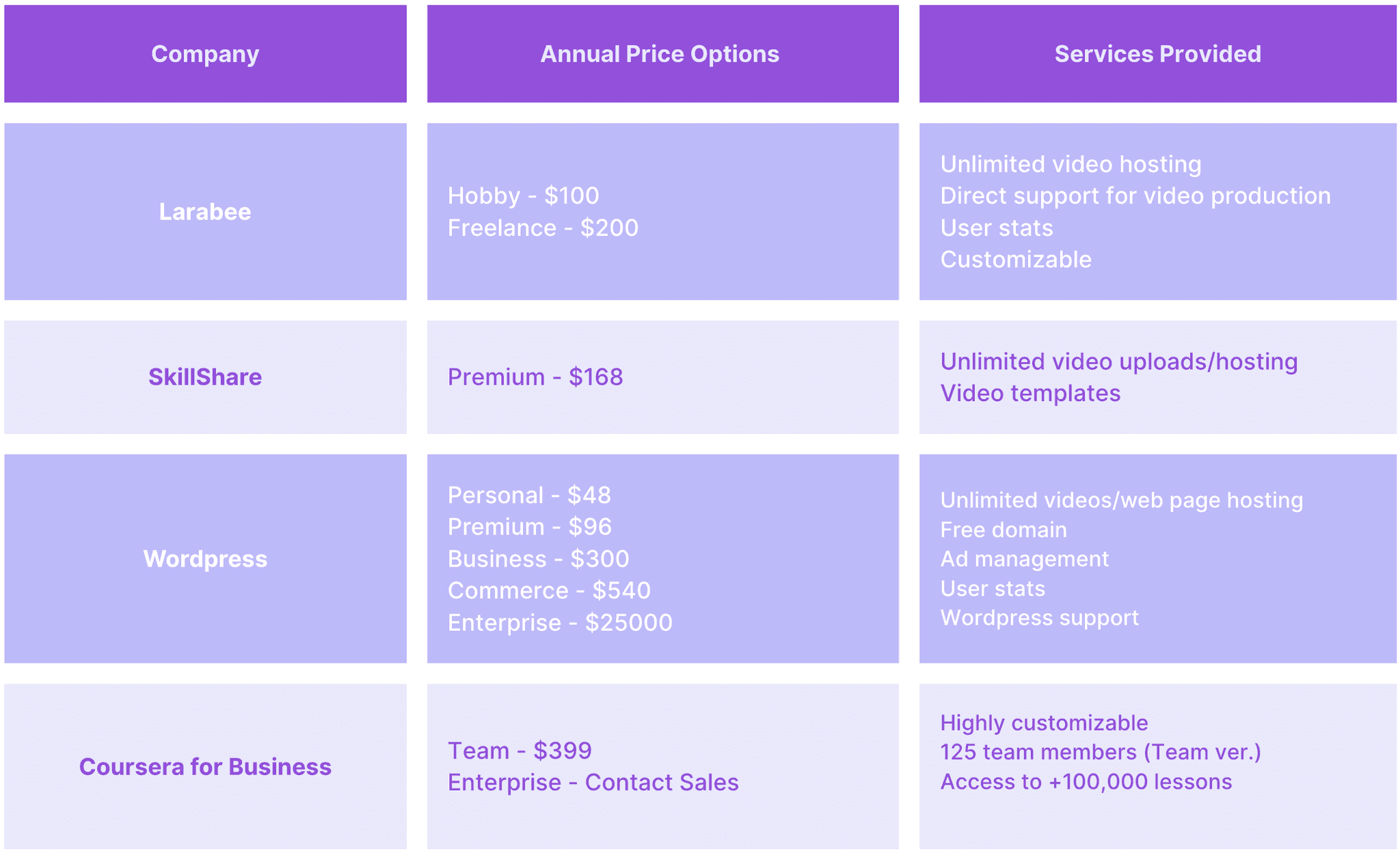
To understand how to set Larabee apart from similar services, I looked into pre-existing companies to and created a presentable breakdown of their pricing and services. I presented this Competitive Analysis Matrix to the Larabee team to figure out what changes they want to make for their business and platform.
Competitive Analysis Matrix
Talking with clients to discover current pain points
It was important to collect feedback from Larabee users to learn how the service was being used and what pain points they were experiencing. I met with clients who were trying to incorporate Larabee into their employee onboarding process.
These meetings taught me that clients wanted users to know which lessons were from their company, and wanted users to know when they were supposed to watch the "Insight" content.
Users pain points indicated the Categories Page didn't show enough information
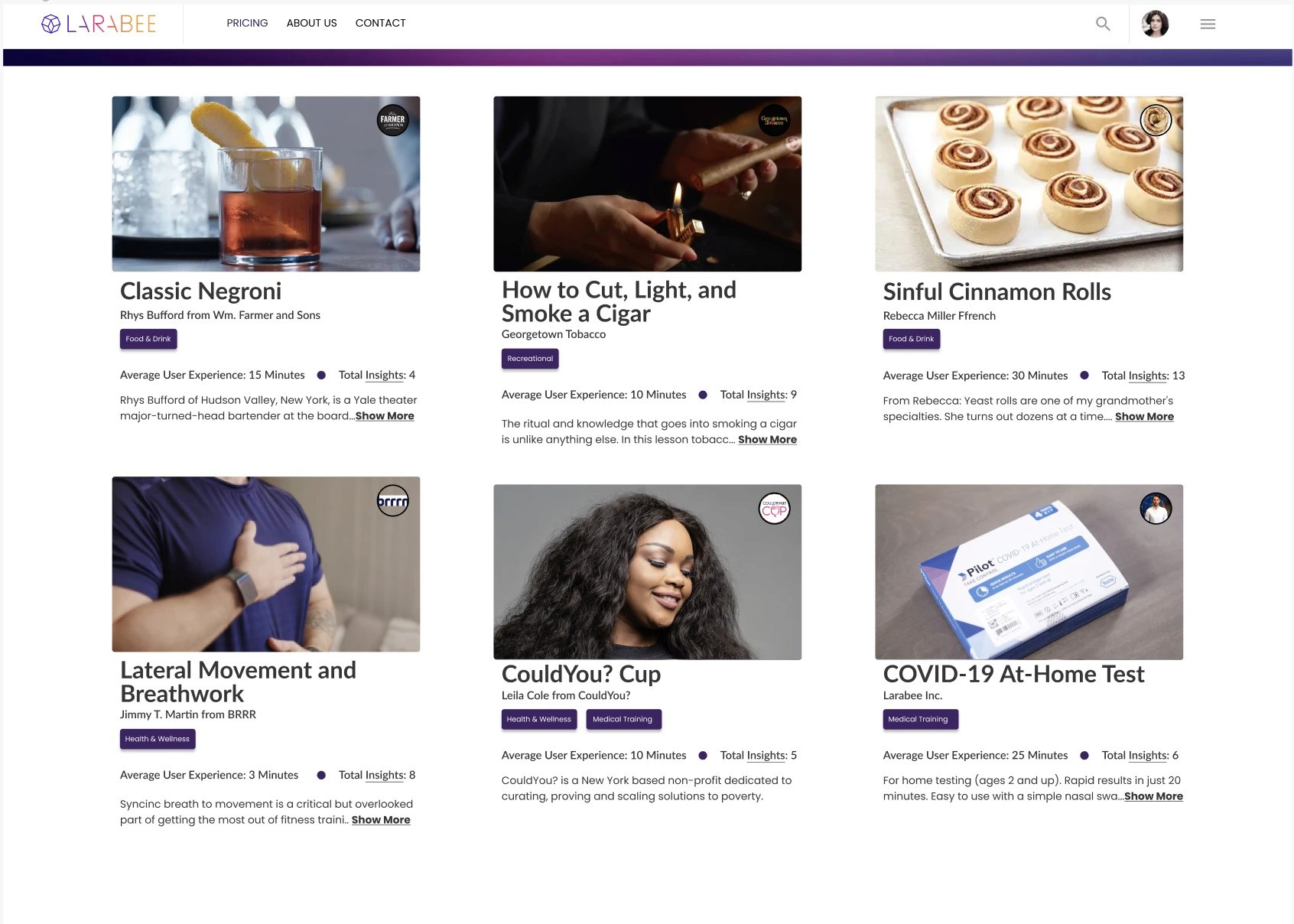
The Categories Page was intended as a home page for users to find content. My goal was to make information about each lesson immediately visible.
Original
At first, the page only showed a hero image, and the video name.
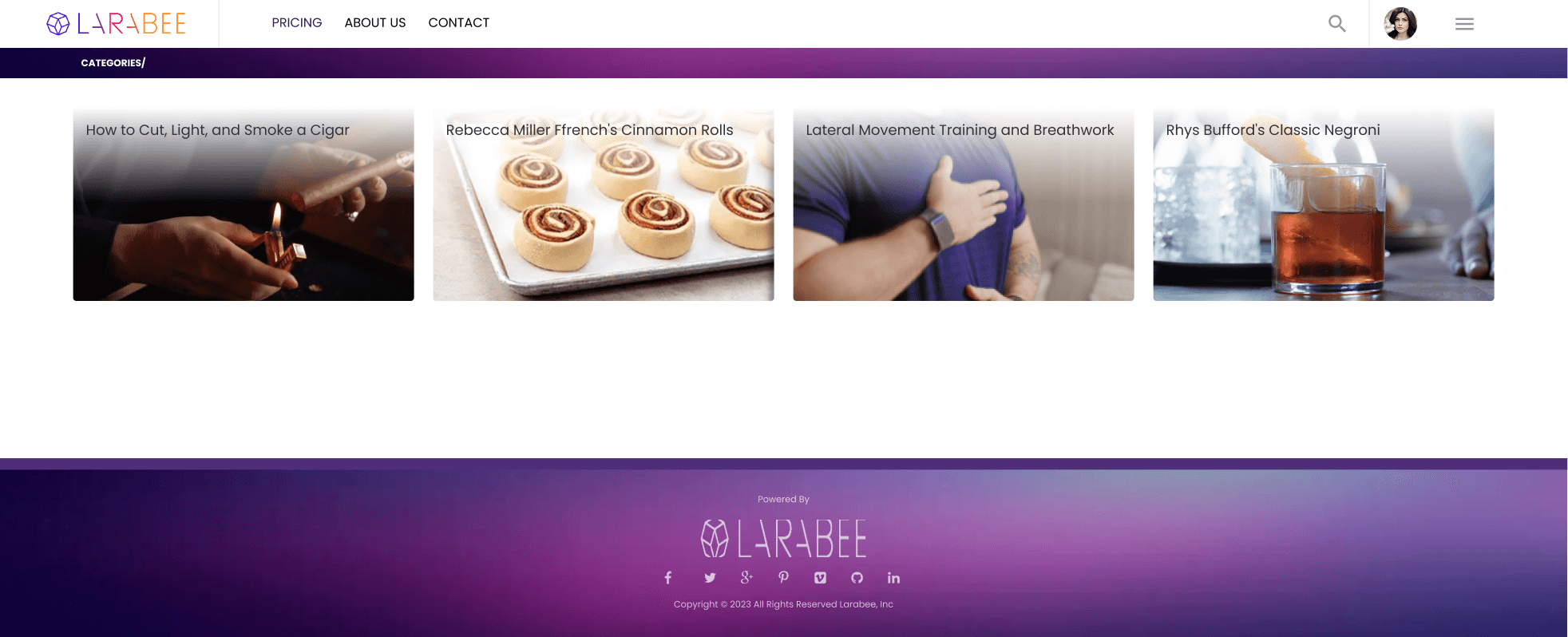
First Iteration
For this iteration, I wanted to prioritize making lesson information visible.
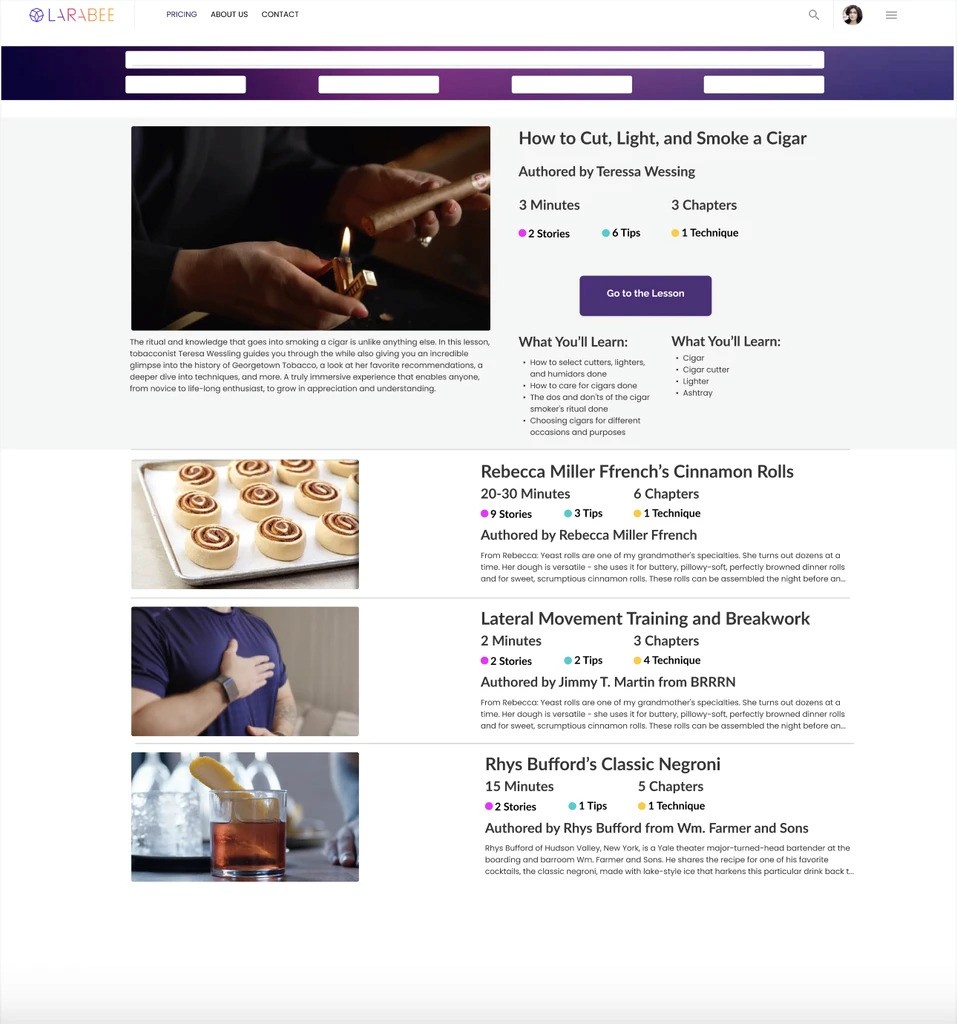
Final Iteration
Having too much information became overwhelming to look at, so my next iteration streamlined the content to remove the need for dropdown menus. In structuring the lessons as cards, it also became possible to show more lessons without confusing a user.
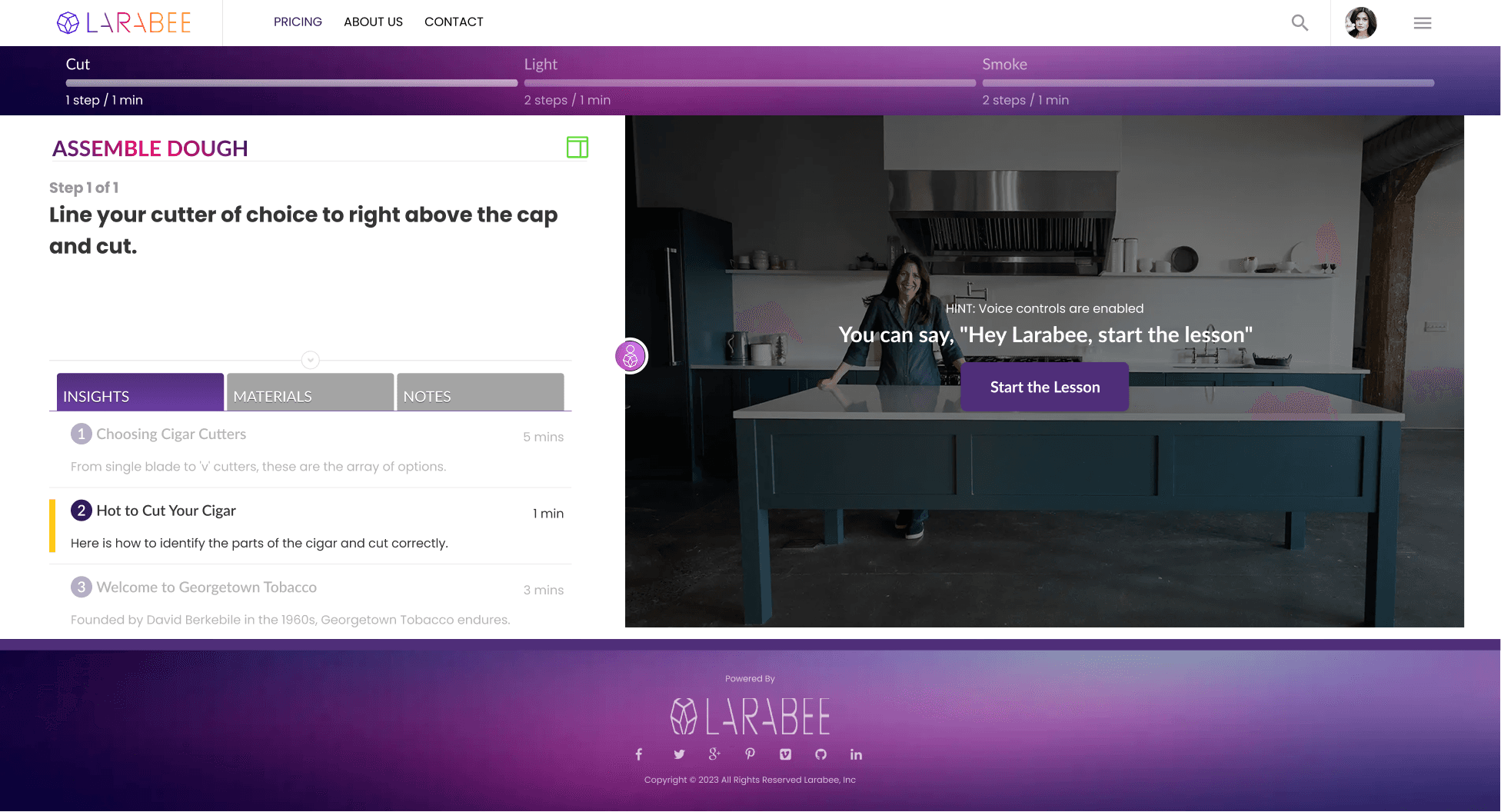
Larabee's Video Player was meant to pair short, repetitive videos with written instructions, along with access to more in depth lessons through the Insight Library
In redesigning the Video Player, the principal feedback was to prioritize visual clarity and usability over the quantity of features offered. At the same time, the Larabee team wanted customizable elements to allow users to the tools that helped them learn best.
Original
Originally, the Video Player lacked a way to access the lesson Insights, and learners expressed confusion about navigating through the directions.
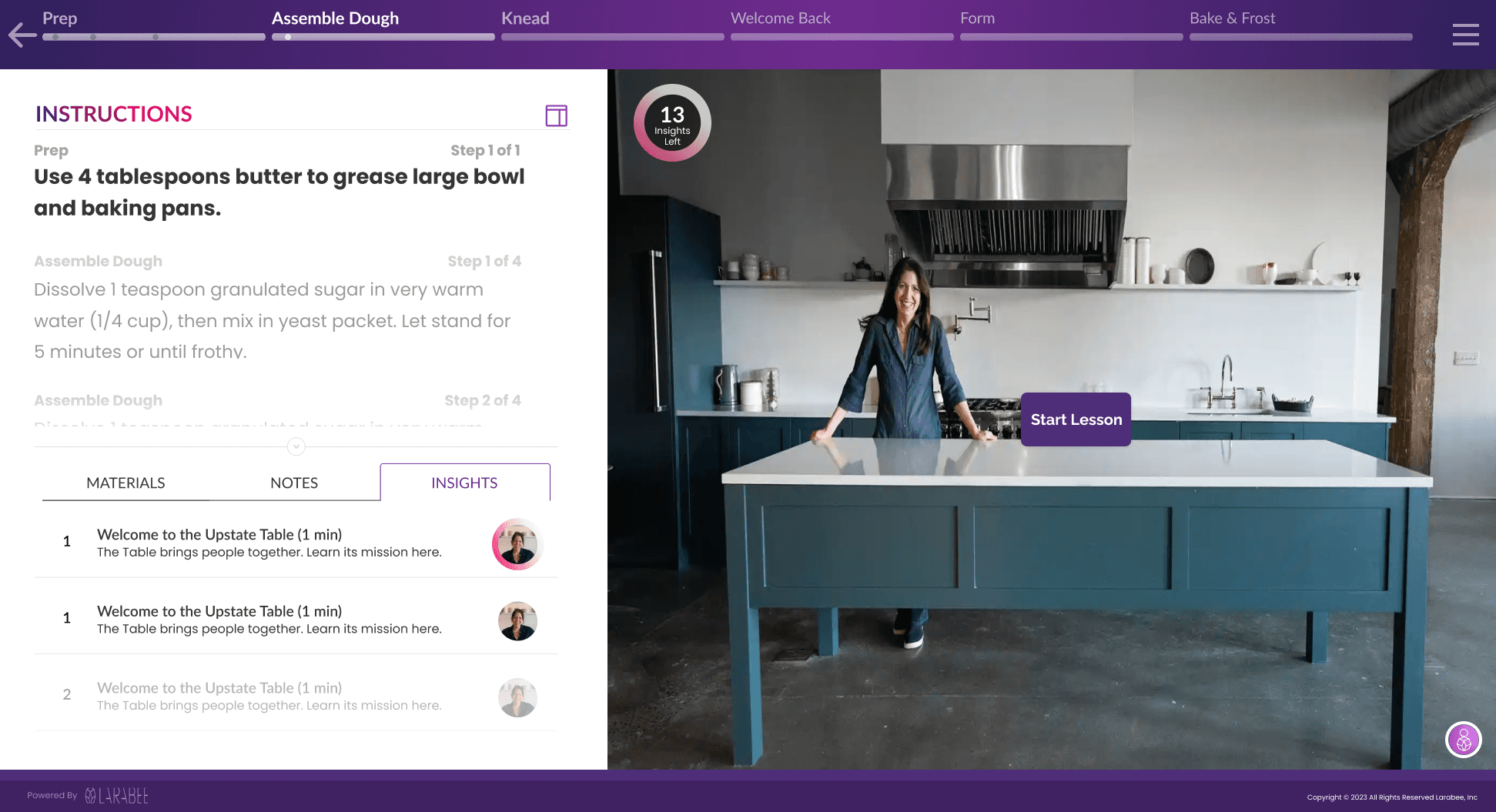
First Iteration
To start, I streamlined the UI for the lesson text, and added indicators for the when to watch the Insight lessons on the video and timeline.
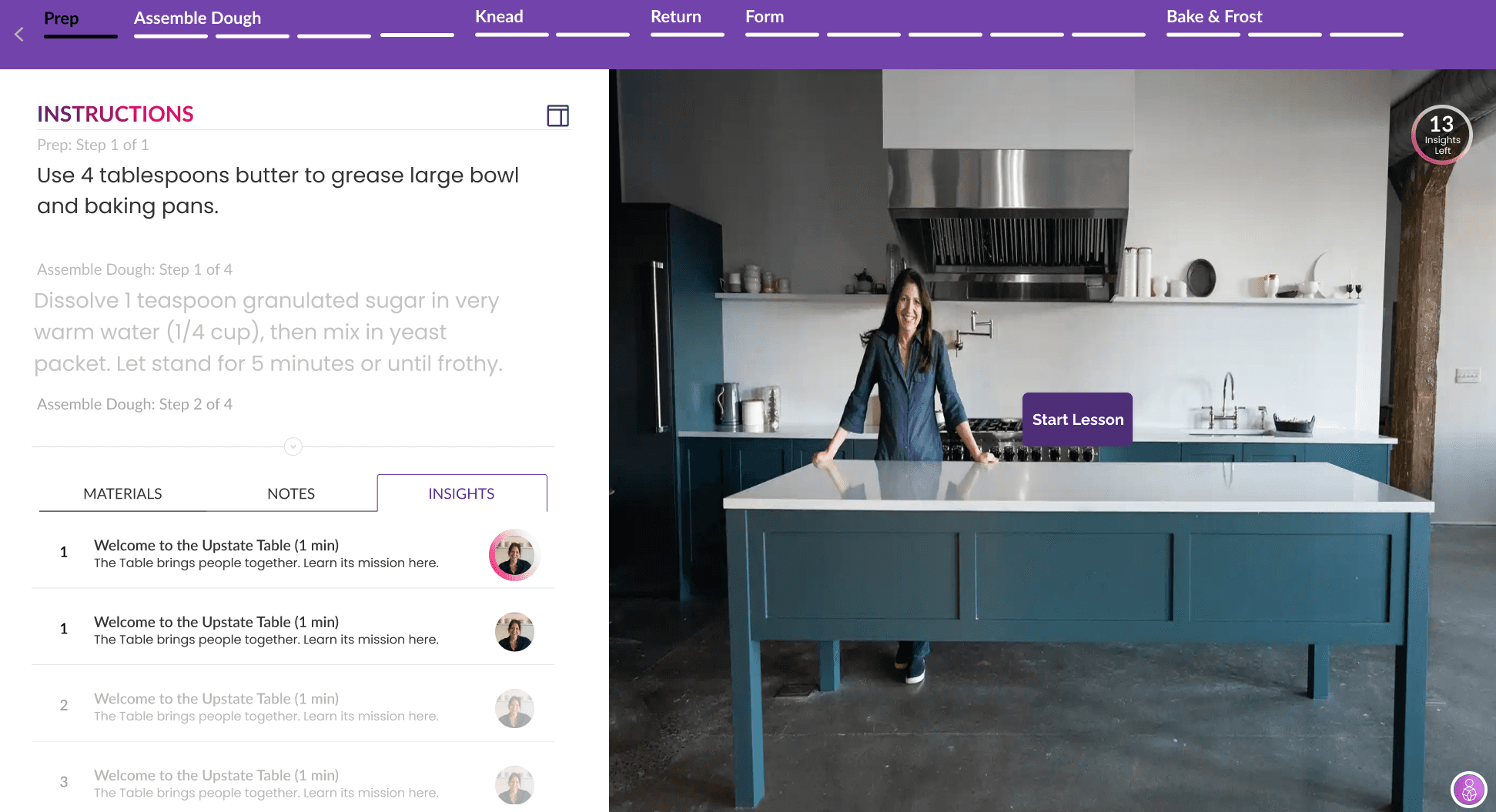
Second Iteration
Next, I increased the video size, shrunk and streamlined the timeline, and reduced the footer. I moved the Insight icon and adjusted the text to make instructions more readable.
Final Iteration
Based on user feedback, I finalized the size of the Insight icon and changed the timeline's background color to further simplify the video player and help users focus on the video lesson.
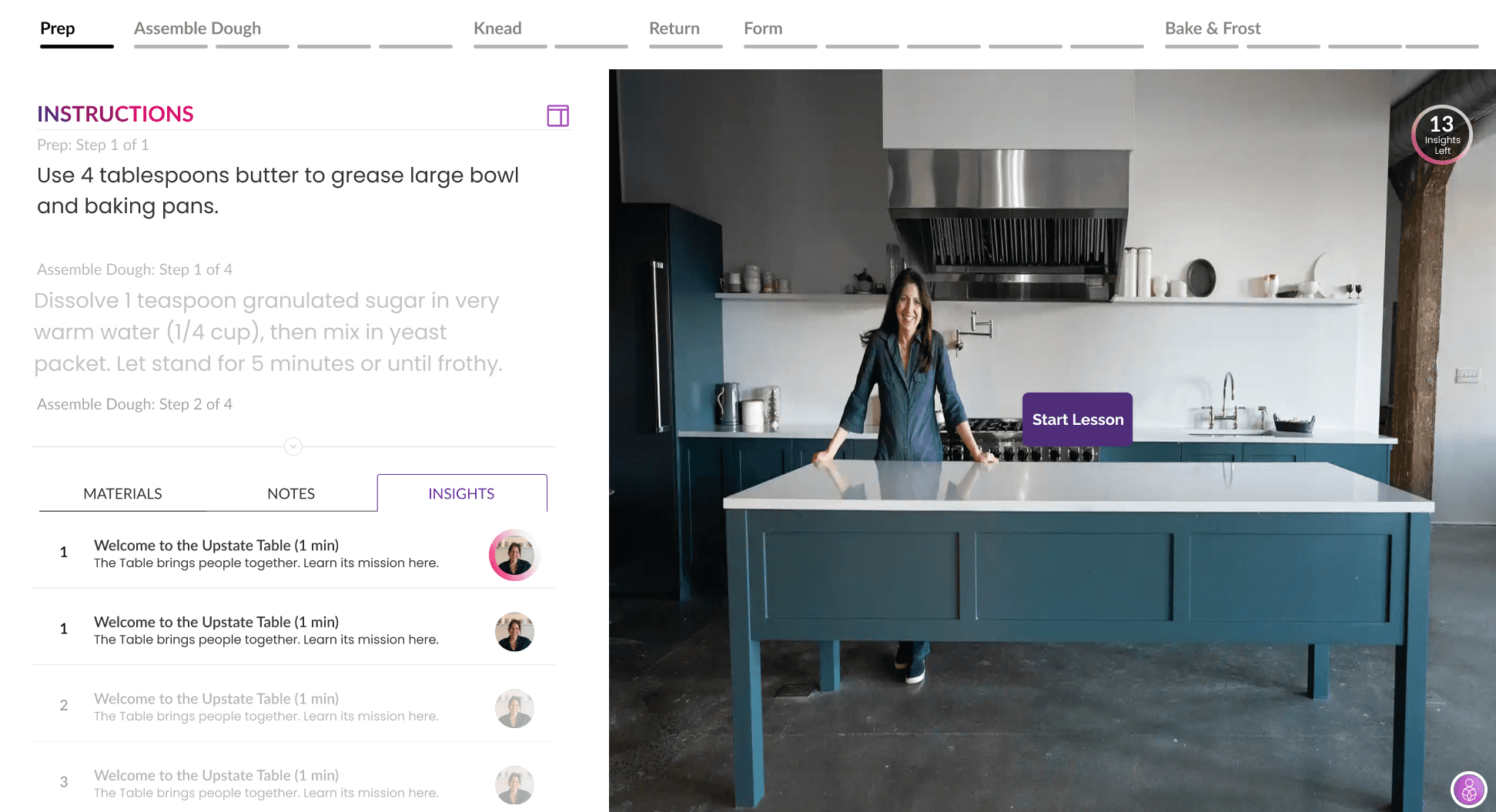
While the Larabee team envisions Insights as a core feature of their Video Player, they hadn't decided how they wanted to present them
With Larabee prioritizing user customizability to personalize the learning experience, we wanted to create multiple ways to take in the insight content. Insights could come in audio or video form as well, so we wanted to find ways to present the information that could account for multiple mediums.
Audio Insights
Insight Library

Insight Library

Take Aways
This was the first time I took the design skills learned in the classroom, and applied them to a real project. The experience taught me about:
User Research
This project let me interview Larabee clients to learn more about how they use the video features. I became more comfortable speaking with clients, and learned how to ask deeper questions to uncover users' pain points.
Iteration
Iterating on individual parts of a design was a new experience for me. I got to learn the importance of small details, especially when experimenting with different variations of the Insight Video Player and Library.
Corporate Collaboration
This project taught me to accept constructive criticism and synthesize different people's ideas. I also learned to articulate my thoughts to be understood by co-workers that don't have UX experience.